Where the name comes from
This view borrows from traditional Su-style genealogy books: instead of drawing lines, each generation is indented one level deeper, so it reads like a table of contents. In English it is simply called a descendant chart.
All descendants as an indented list
← Back to Family Tree ViewsThis view borrows from traditional Su-style genealogy books: instead of drawing lines, each generation is indented one level deeper, so it reads like a table of contents. In English it is simply called a descendant chart.
In a large family, a drawn tree turns into a knot. The descendant chart uses a text list to keep every branch and generation legible, which makes it the fastest way to answer "how many descendants did this ancestor actually have?"
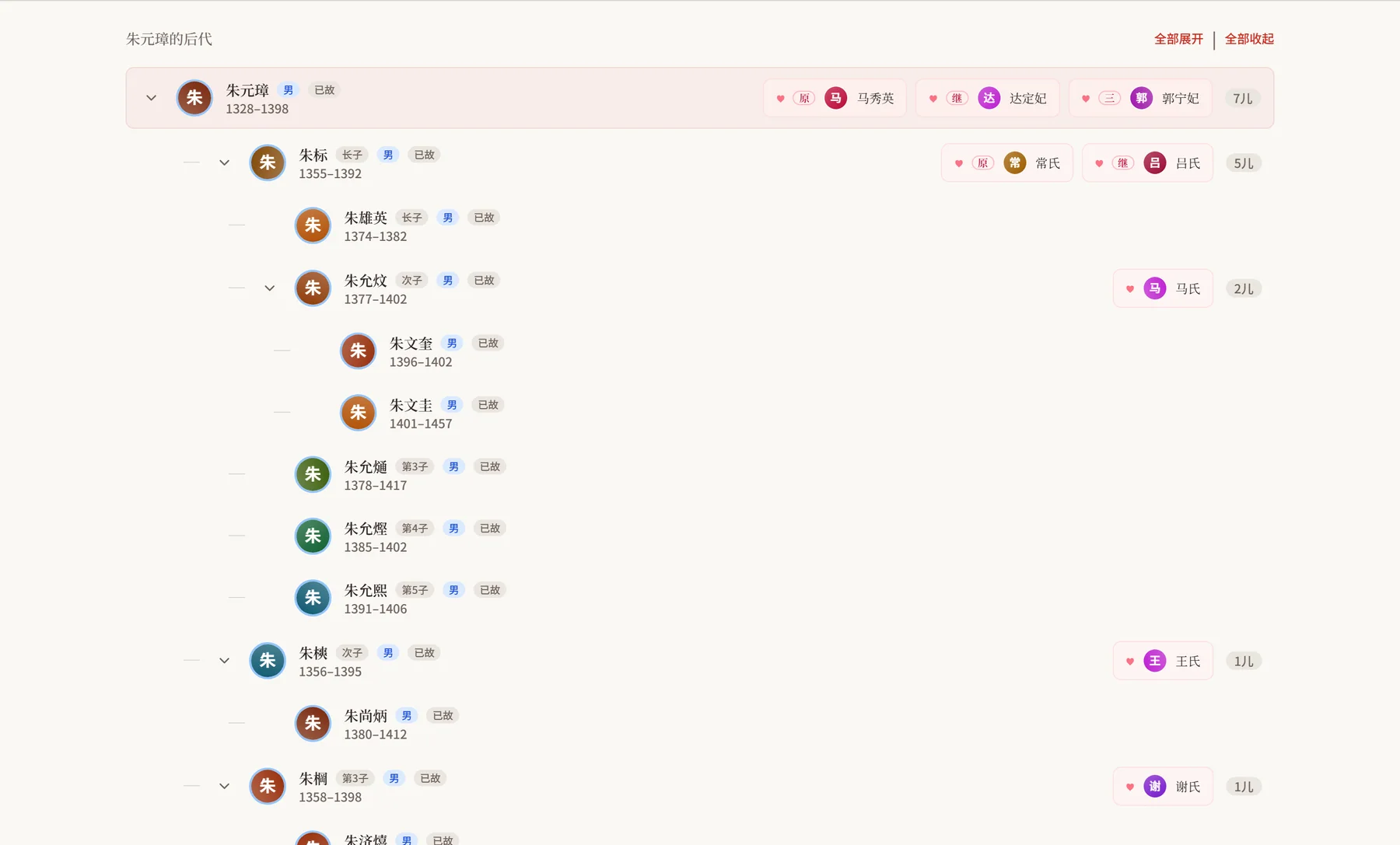
The starting person is at the top; each level of indentation is one generation younger.
Birth order and gender appear before each name, with spouse and child counts to the right.
Use "Expand all" and "Collapse all" to control how deep you read.
It reads well on a phone in portrait orientation, so it is handy while interviewing relatives.
The starting person does not have to be the founding ancestor; to inspect one branch, simply start from that branch head.