Family Tree Views · 021 / 9

Tree Chart

The classic inverted tree, with clear generations

← Back to Family Tree Views

Where the name comes from

The tree chart draws a family as an upside-down tree: the root sits at the top and the branches spread downward. People have used trees as a metaphor for lineage for thousands of years, and the app simply draws that "one trunk, many branches" structure literally.
What it is for

It opens up every generation and every branch at once, so you can see whose child someone is and which branch is largest. For everyday browsing, or explaining the family structure to relatives, this single chart is usually enough.

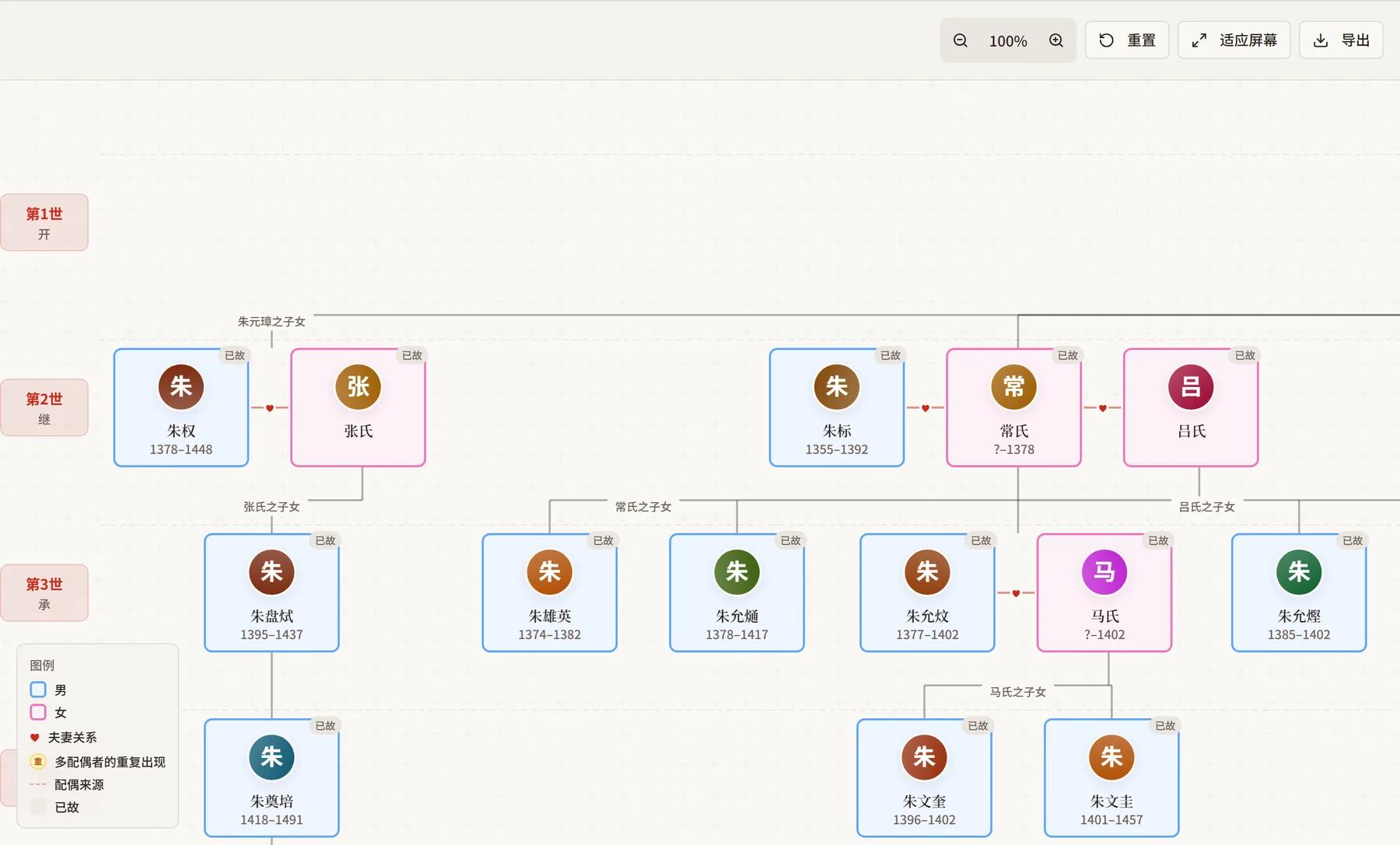
Tree chart example: an inverted twelve-generation Zhu family tree descending from the Ming founder
Example: the Zhu family across twelve generations (official demo data)View full size ↗Rendered by the real product component with official demo data; no real user information is included.

How to read it

  1. Read from top to bottom: the lower you go, the younger the generation; one horizontal row is one generation.

  2. Follow the lines: vertical connectors join parents and children, while a horizontal ♥ marks a marriage.

  3. Read the cards: blue borders are male, pink are female; a "deceased" badge sits in the top-right corner.

  4. Watch for the "repeat" marker: members with several spouses appear more than once so every child can sit under the right parent.

How to open it in the app

Family Tree view"Tree Chart" in the top bar

Scroll to zoom and drag to pan; "Fit to screen" shows the whole tree at once.

Best used for

  • Everyday browsing
  • Explaining branches
  • Locating a person
  • Printing the whole tree

Tip:Large trees get very wide. Use "Export current view as PNG" to capture the full canvas rather than just the visible screen.